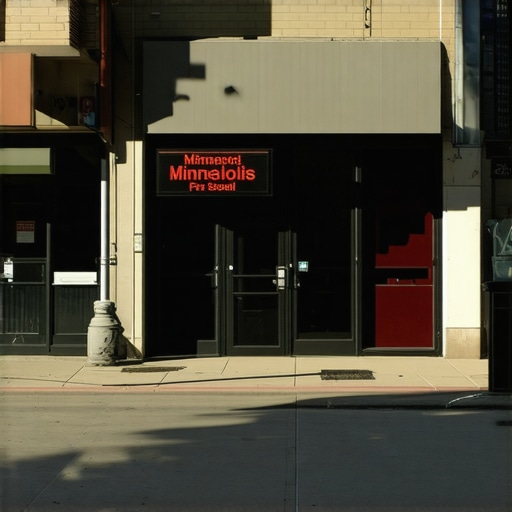
Why Your Minneapolis Storefront Is Not Showing Up for Basic “Near Me” Searches
Picture this: You are standing in the middle of your boutique in the North Loop or your coffee shop in Uptown. You pull out your phone, open Google, and type in your primary service followed by those two critical words: “near me.” You expect to see your business at the top of the Local Map Pack. Instead, you see a competitor from three miles away, a shop that closed six months ago, and perhaps a national chain that doesn’t even have a physical presence in Minneapolis. You are invisible in your own neighborhood. This phenomenon is a nightmare for local business owners, but it is a solvable technical puzzle. Mastering google business profile seo is the only way to ensure that when a customer is standing on a nearby street corner, your name is the one that appears on their screen.
The “Near Me” search intent is the most valuable lead source in the modern digital economy. It represents a user with high commercial intent and immediate proximity. When someone searches for “plumber near me” or “best pizza near me,” they aren’t just browsing; they are ready to spend money. If your Minneapolis storefront is missing from these results, you aren’t just losing a click – you are losing a customer to a neighbor who has better optimized their local presence. As a specialist in google business profile seo, I have seen hundreds of businesses struggle with this, and the reasons usually boil down to five specific technical and algorithmic roadblocks.
The “Ghost Town” Effect: Verification and Suspension Issues
The most fundamental reason a business disappears from “near me” searches is what I call the “Ghost Town” effect. This occurs when Google’s algorithm loses trust in the validity of your location. According to data from Logical Position, over 30% of all mobile searches are related to map listings. If your profile is not verified, or if it has entered a state of “soft suspension,” Google will simply stop showing it for non-branded searches. This means you might still show up if someone types your exact business name, but you will be completely absent for category searches like “Minneapolis law firm” or “HVAC repair.”
Verification is not a “set it and forget it” task. Google frequently requires re-verification, especially if you have recently changed your address, phone number, or even your business hours. In some cases, a profile can be flagged for suspicious activity if multiple users suggest conflicting edits. When this happens, your visibility drops to zero overnight. I’ve detailed this specific heartache in my guide on Why Your Minneapolis Shop Disappeared From Near Me Searches Without Warning. Without a verified status, you cannot rank google business profile effectively, regardless of how many five-star reviews you have collected.
Furthermore, “soft suspensions” are a silent killer. This is where your profile remains live to you in the dashboard, but Google has stripped it of its ranking power due to a policy violation – often something as simple as an inconsistent address format or a keyword-stuffed business name. If you suspect your profile is a ghost town, the first step is a deep dive into your compliance with Google’s ever-evolving guidelines. You must prove to the algorithm that you are a living, breathing part of the Minneapolis community.
The Proximity Paradox: Why You Disappear When You Leave Downtown
One of the most frustrating aspects of local search is the “Distance Trap.” Google’s primary goal is to provide the most convenient answer to the user. This creates a proximity paradox: the closer a user is to your physical pin, the higher you rank, but as they move even a few blocks away, your visibility can crater. If your storefront is located in Downtown Minneapolis, you might dominate the search results for someone standing in the IDS Center, but you might be completely invisible to a potential customer in Edina, St. Paul, or even Northeast Minneapolis.
This is often due to how your service area settings are configured. Many business owners incorrectly set their service area to cover the entire state of Minnesota, thinking it will broaden their reach. In reality, this often dilutes your local authority. I explore this in depth in The Distance Trap: Why Your Service Area Settings Are Shrinking Your Map Reach. To combat this, you need to use a google maps rank tracker to visualize your “ranking grid.” A grid allows you to see exactly where your “near me” dominance ends. If you see your rankings drop off sharply at the city limits, it’s a sign that your proximity signals are too weak to overcome the competition in outlying neighborhoods.
To break the Proximity Paradox, you must build “location authority” beyond your front door. This involves generating reviews from customers in different zip codes and ensuring your website content mentions specific Minneapolis landmarks and neighborhoods. If Google sees that people from Minnetonka and Bloomington are consistently engaging with your Downtown shop, it will expand your “near me” radius accordingly.
Optimization Errors: Categories and Service Areas
The technical configuration of your profile is the foundation of google business profile seo. The single most common mistake I see in the Twin Cities market is the improper selection of primary and secondary categories. Google provides thousands of categories, and choosing the wrong one – or failing to choose the most specific one – can lead to total invisibility. For example, a business that identifies only as a “Restaurant” will struggle to rank for “Italian restaurant near me” against a competitor who chose the more specific category.
We recently saw this with a local service provider; you can read the full breakdown in The One Category Change That Finally Put Our Minneapolis Client on the Map. By shifting their primary category to better align with actual search volume, their visibility increased by over 400% in thirty days. This is where google business profile optimization becomes a surgical process. You aren’t just filling out a form; you are aligning your business with Google’s internal taxonomy.
Another common error involves the distinction between a physical storefront and a Service Area Business (SAB). If you have a storefront where customers visit you, but you also go to them (like a flooring showroom that also does installations), your profile must be configured as a hybrid. If you hide your address but still want to rank for “near me” searches in a specific neighborhood, you are fighting an uphill battle. Google’s algorithm inherently trusts physical addresses more than broad service areas. Precision in these settings is what separates the top 3 from the “More Businesses” graveyard.
The 2026 Shift: Why Real-World Context Beats Keyword Stuffing
As we move into 2026, the local SEO landscape is shifting away from traditional keyword density and toward “real-world context.” Google’s AI-driven search intent now looks for proof that your business is an integrated part of the local ecosystem. This means that simply putting “Minneapolis” in your title tag is no longer enough. The algorithm is looking for mentions of local landmarks like First Avenue, the Chain of Lakes, or the Stone Arch Bridge within your reviews and posts.
Modern local seo software is now designed to track “Zero-Click” results – searches where the user gets their answer directly from the Map Pack without ever clicking through to a website. To win in this environment, your profile needs to provide immediate, contextually relevant information. For instance, if there is a local trend in the Star Tribune about “Girl Dinner” or specific Minneapolis culinary movements, incorporating those terms into your Google Updates can signal to the AI that you are current and relevant to the local culture.
My philosophy has always been that white-hat local SEO isn’t about tricking the map; it’s about proving to Google that you are the most relevant answer for a specific street corner. In 2026, this relevance is determined by how well you connect your digital presence to the physical reality of the Twin Cities. This includes uploading high-quality, geo-tagged photos of your storefront and responding to reviews in a way that references local events or neighborhoods.
Technical Red Flags: Schema and NAP Consistency
If your digital footprint is messy, Google will treat your business like a ghost town. NAP consistency – Name, Address, and Phone Number – is the bedrock of local trust. If your business is listed as “Mpls Pizza Co” on Yelp, “Minneapolis Pizza Company” on Facebook, and “The Pizza Co” on your Google Business Profile, the algorithm becomes confused. This confusion leads to a lack of confidence, which results in lower rankings. I’ve seen this play out many times, as discussed in The NAP Error That Makes Google Think Your Storefront Is a Ghost Town.
Beyond NAP, technical Schema markup on your website is essential. LocalBusiness Schema tells Google’s crawlers exactly what your business is, where it is, and what its coordinates are in a language the machine understands perfectly. Without this, you are relying on Google to “guess” your relevance. Using local seo tools to audit your citation health and Schema implementation is a non-negotiable step for any Minneapolis business owner serious about ranking. If your website and your Google profile aren’t speaking the same technical language, your “near me” visibility will always be hampered.
Furthermore, broken links on your profile or a website that isn’t mobile-optimized will trigger red flags. Since “near me” searches are almost exclusively performed on mobile devices, a poor mobile experience will lead to high bounce rates, which Google interprets as a sign that your business is not a good recommendation for its users.
Actionable Checklist: How to Reclaim Your Map Position
If you are tired of being invisible, it is time to take a diagnostic approach to your google business profile seo. You don’t need a massive budget to start seeing results; you need precision and consistency. Use the following checklist to begin your recovery:
- Verify and Protect: Ensure your profile is fully verified and that you have enabled two-factor authentication to prevent unauthorized edits.
- Audit Your Categories: Review your primary and secondary categories. Ensure your primary category is the most specific match for your highest-value service.
- Optimize Your NAP: Use local seo tools to scan the web for inconsistent mentions of your business and fix them at the source.
- Geo-Tag Your Content: Upload new photos of your Minneapolis storefront weekly. Use photos that include recognizable local street signs or landmarks.
- Engage with Local Keywords: When responding to reviews, naturally include neighborhood names (e.g., “We love serving our neighbors in Linden Hills!”).
- Monitor Your Rankings: Use a google maps ranking service to perform a professional-grade audit and see your ranking grid across the Twin Cities.
- Fix Your Schema: Ensure your website has up-to-date LocalBusiness JSON-LD Schema that matches your Google Business Profile exactly.
For a real-world example of how these steps come together, read our case study: How We Fixed a Minneapolis Google Maps Profile That Stopped Showing for Near Me Searches. The path to the top of the Map Pack is paved with technical accuracy and local relevance. If you are struggling to make an impact, it may be time for a comprehensive google business profile audit to identify the specific bottlenecks holding you back.
Your Minneapolis storefront deserves to be seen. By focusing on google business profile seo and addressing the proximity, technical, and contextual factors outlined above, you can stop being a ghost in the machine and start being the first choice for every “near me” search in your neighborhood. Local SEO is a marathon, not a sprint, but with the right roadmap, you can claim the digital high ground in the Twin Cities.